How to Deposit Funds on DeepHash? A Step-by-Step Tutorial
Data:October 3, 2025
Publisher:AutoHash
Before purchasing mining contracts or using services on DeepHash, you’ll need to fund your account. This guide provides a clear, detailed walkthrough of the deposit process, from logging in to verifying your balance.
1. Log in to Your Account
● Visit deephash.com and enter your registered email and password.

● Once logged in, you’ll land on your Dashboard, where you can access mining plans, balances, and account features.

2. Access the Wallet
● On the left-hand menu, click “Wallet”.
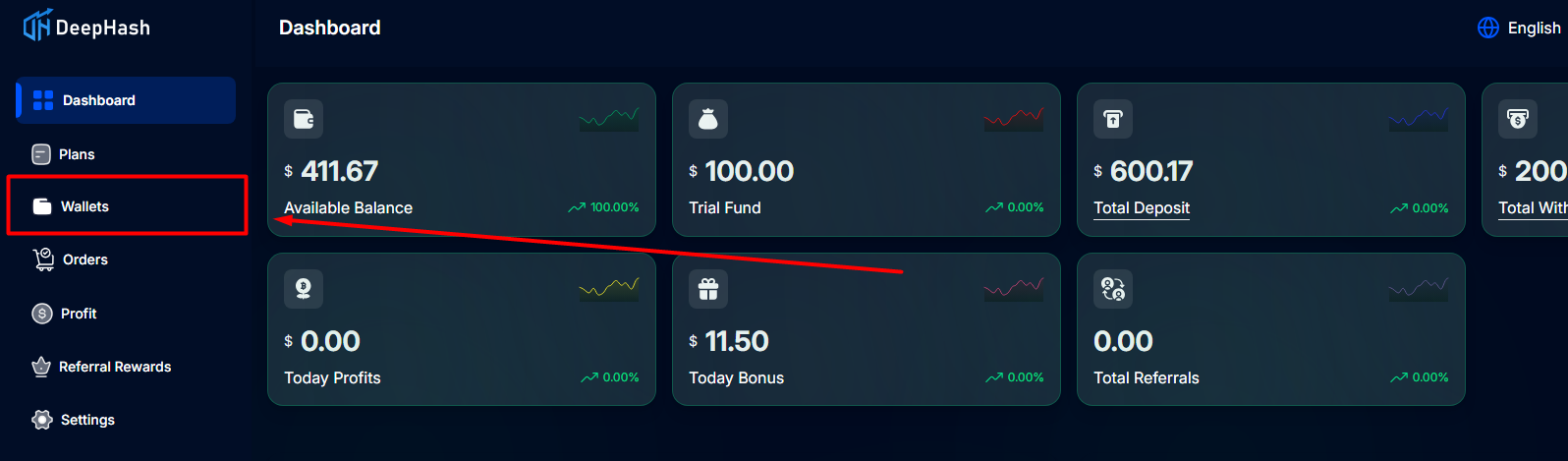
● The wallet section is the central place to manage your funds, including deposits, withdrawals, and transaction history.
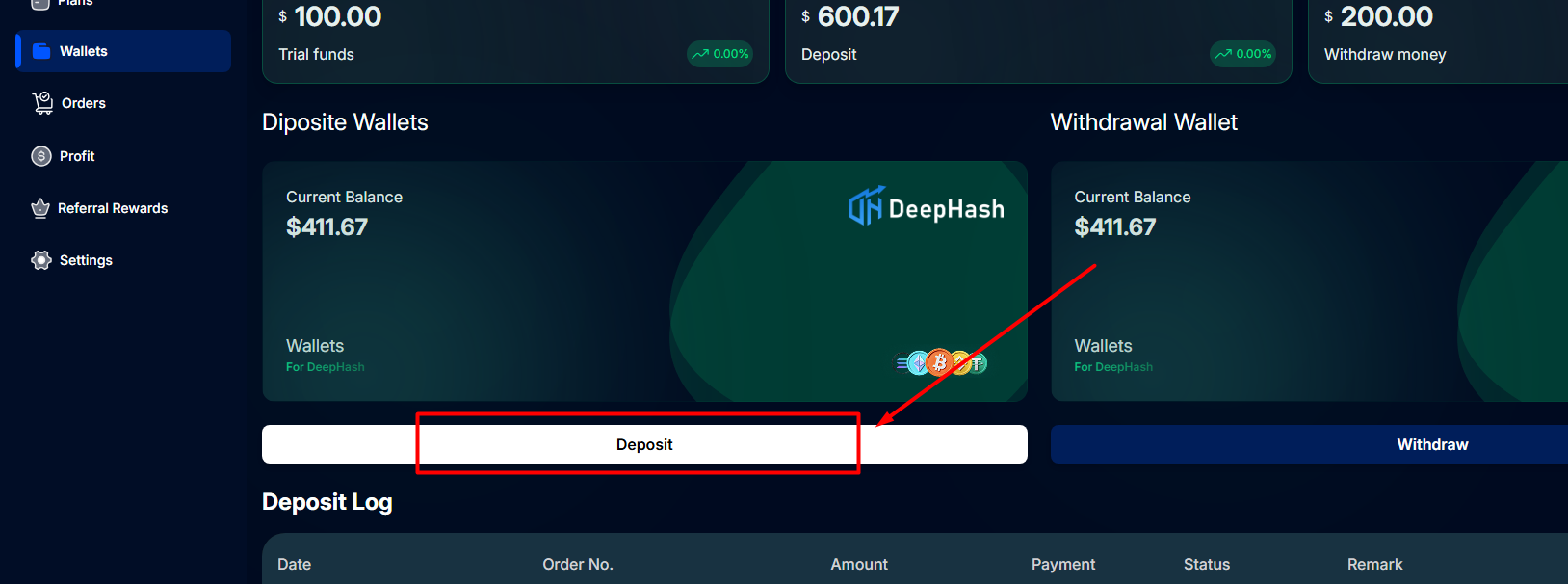
3. Start a Deposit
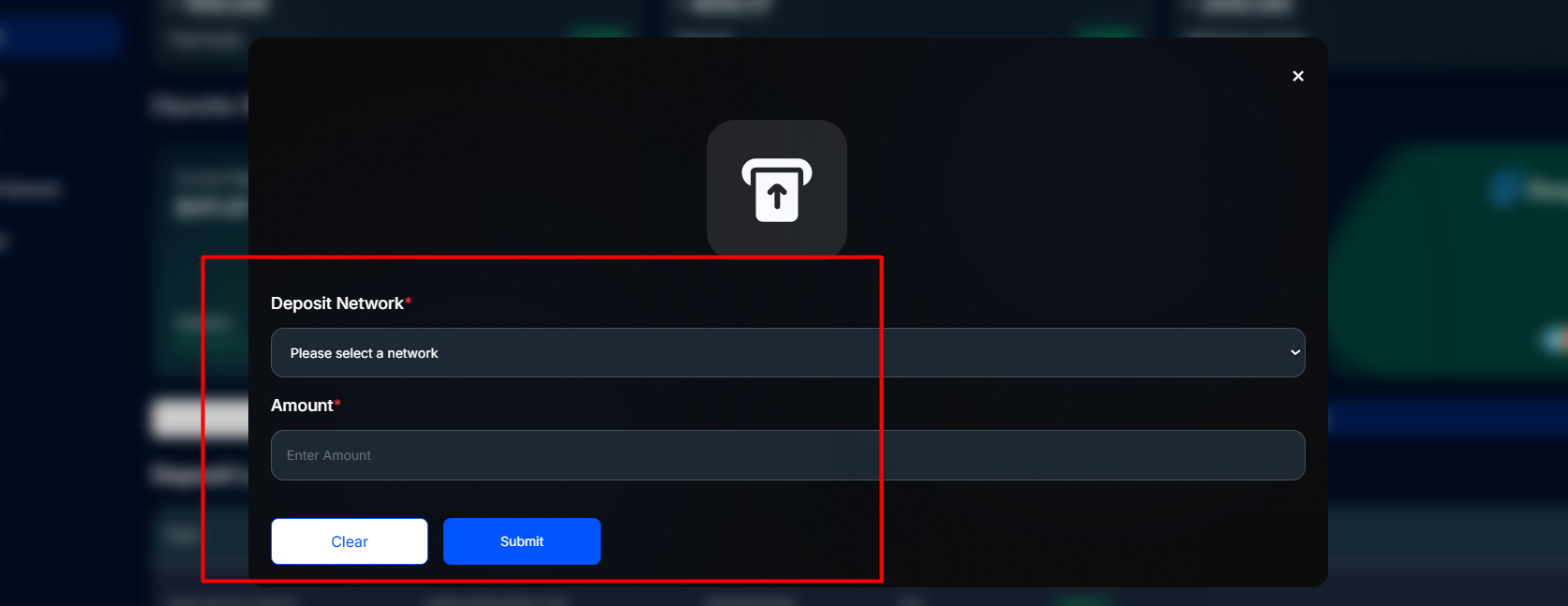
● Inside the wallet page, click on the “Deposit” button.
● A deposit interface will appear to guide you through the process.
4. Select Deposit Method
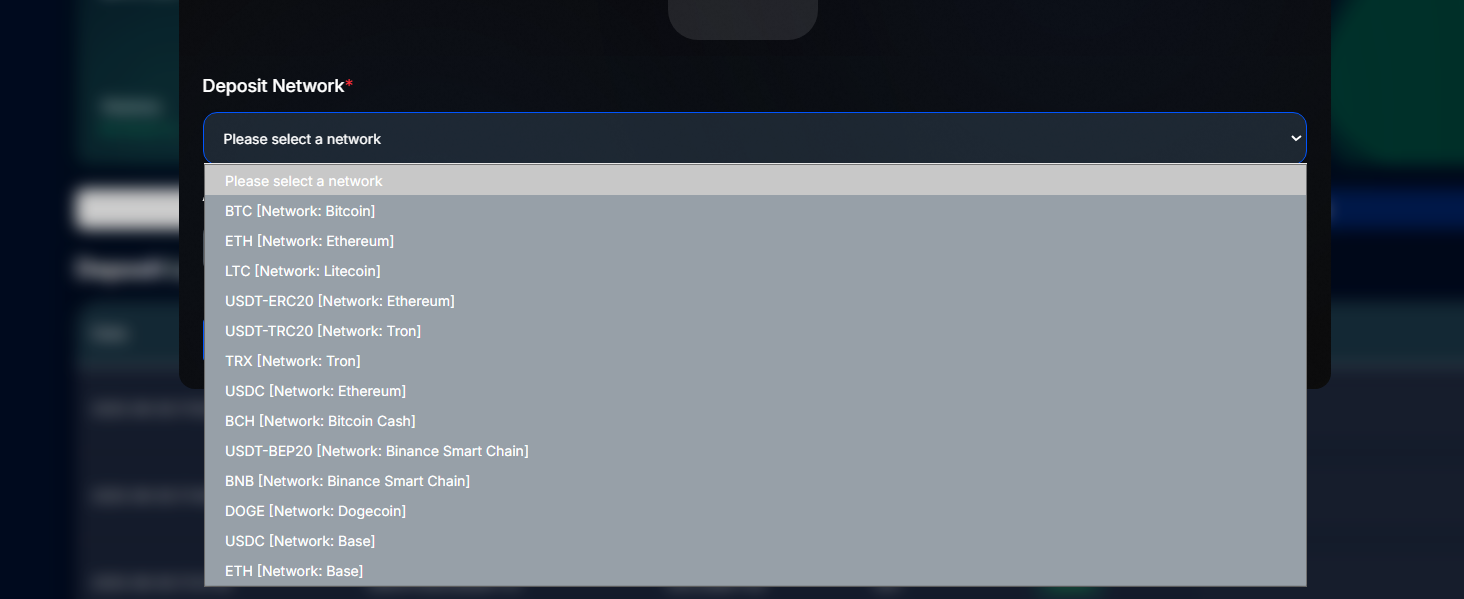
DeepHash supports several major cryptocurrencies and networks, including:
● USDT (ERC20, TRC20, BEP20)
● BTC (Bitcoin)
● ETH (Ethereum)
And other supported digital assets
⚠️ Important: Always make sure that the blockchain network you choose matches the deposit address generated by the system. Sending funds via the wrong network may result in permanent loss.
5. Enter Deposit Amount
- Input the amount you wish to deposit (in USD).
- The minimum deposit amount is $150 USD.
- The system will automatically calculate and display the equivalent cryptocurrency amount at the real-time exchange rate.
- Example: $150 → 0.002 BTC (illustrative only, actual conversion depends on live rates).
6. Confirm the Wallet Address
- A unique deposit wallet address will be generated.
- Transfer the specified cryptocurrency amount to this address.
- Best practices:
- Always copy and paste the address (avoid manual typing).
- Double-check both the address and amount before confirming your transfer.
7. Upload Payment Proof
After completing the transfer:
- Upload a screenshot of your transaction confirmation.
- Ensure the screenshot includes the TXID (transaction hash), which is essential for verification.
8. Wait for System Review
- Once the proof is submitted, the system will automatically review the transaction.
- On average, deposits are confirmed within 3 minutes.
- In rare cases, network congestion may cause slight delays. Please be patient.
9. Verify Your Balance
- Return to your wallet page and refresh your balance.
- Once approved, the funds will appear in your account.
- You can now proceed to purchase mining contracts or use other DeepHash services.
Security Tips & Best Practices
- Network Consistency: Always match the deposit network (ERC20, TRC20, BEP20, etc.) with your sending wallet.
- Keep Proof of Payment: Save your TXID and screenshots until funds are confirmed.
- Official Channels Only: DeepHash will never ask you to deposit to private wallet addresses. Always use the address generated on the platform.
- Need Help? If your deposit does not reflect after 15 minutes, contact DeepHash’s 24/7 customer support for assistance.
Conclusion
Depositing on DeepHash is quick, straightforward, and secure when following the above steps. With just a few minutes of setup, your funds will be available in your account balance, ready to be used for mining plans and investment opportunities.

Claim $100 Free Bonus